
The One Instagram Format That Outperforms Everything Else
If your church's Instagram has been quiet, here's the data point that should make you stop and pay attention: carousels consistently outperform every other post format on Instagram. They get more saves, more reach, and stay in feeds longer than reels, single images, or text posts.
For churches, that matters more than it does for brands. A saved carousel is a Wednesday-morning re-read. A shared carousel is a conversation between two friends about scripture. A high-reach carousel pulls visitors to your Sunday service. Every one of those outcomes is ministry.
The problem is that most pastors don't have a designer, and the thought of building a 9-slide carousel every week from scratch is exactly why most churches give up on Instagram by month three. This guide shows you the workflow that makes it sustainable — and how to source every slide from the sermon you already preached.
Why Carousels Work So Well for Sermon Content
Instagram's algorithm rewards posts that hold attention. A single image gets a one-second glance. A carousel earns 8–12 seconds because users swipe through, and Instagram interprets that engagement as a signal to show the post to more people.
For sermons specifically, the format is theologically well-suited:
- A hook on slide 1 earns the swipe — the same way your sermon's opening earns the next 30 minutes
- Slides 2–6 build the argument — exactly like the body of a sermon develops a thesis
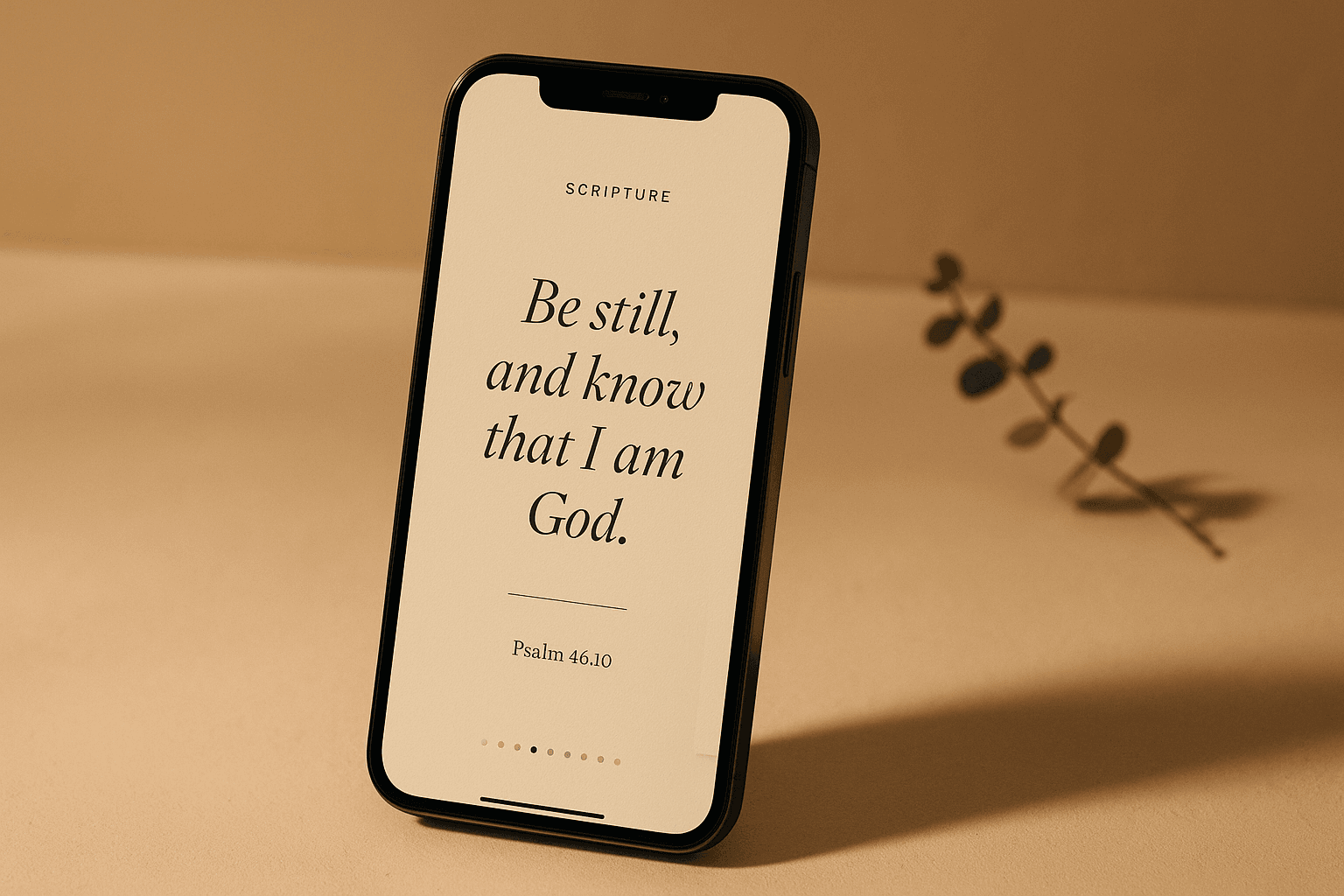
- A scripture slide grounds it — your central passage gets its own dedicated frame
- An application slide closes — the "so what" the congregation should carry into the week
- Slide 9 is the call to action — share, save, comment, or invite a friend to Sunday
That's a sermon structure, not a marketing template. Which is why carousels feel native to church content in a way that lifestyle photos and inspirational text overlays never quite do.
The 9-Slide Sermon Carousel Framework
Here's the proven structure that turns one sermon into one high-performing carousel:
| Slide | Role | What It Says |
|---|---|---|
| 1 | Hook | A bold, contrarian, or curious one-liner from your sermon that earns the swipe |
| 2 | Re-hook | Reinforces the tension or question; confirms the reader should keep swiping |
| 3 | Principle | The core teaching of the sermon in one sentence |
| 4 | Scripture | Your central passage, displayed beautifully (one verse, not three) |
| 5 | Promise | What scripture promises is true about God, you, or the situation |
| 6 | Application | A specific action to take this week |
| 7 | Journal / Reflection | A question or prompt that earns the save |
| 8 | Share Prompt | "Send this to someone who needs to hear it" |
| 9 | CTA | Invitation to Sunday service, link in bio, or follow for more |
You don't have to use all nine. Six is enough for most sermons. But every carousel should hit at least: hook, principle, scripture, application, CTA. Those five are the minimum viable sermon-on-Instagram.
Get your Sunday afternoons back.
Most pastors lose the better part of a workweek turning their sermons into clips, devotionals, and graphics — time your family and congregation need you for. This free 24-page playbook shows you how to do it in 90 minutes flat. One sermon, a full week of ministry content.
Why "Save-Bait" Slides Matter More Than Anything Else
The single most important metric for an Instagram carousel isn't likes. It isn't even reach. It's saves.
A save tells Instagram, "this post is valuable enough that a real person wants to come back to it." The algorithm treats that signal aggressively — saved posts get pushed to more feeds, sometimes for weeks after they're published.
Two slide types earn the most saves:
- Scripture slides with a verse beautifully typeset — people save them to re-read during the week
- Journal/reflection slides with an open-ended question — people save them to actually sit with the question later
Build both into every carousel. They're the slides that turn passive scrollers into engaged disciples.
A Real Example: Sermon to Carousel
Say your sermon was on Philippians 4:6–7 — "Do not be anxious about anything." Here's how that becomes a carousel:
- Slide 1 (Hook): "What if anxiety isn't a sign your faith is weak?"
- Slide 2 (Re-hook): "Paul wrote about anxiety from prison. So can we be honest about ours?"
- Slide 3 (Principle): "Anxiety isn't the absence of faith — it's the invitation to bring something to God."
- Slide 4 (Scripture): Philippians 4:6, typeset on a calm, warm background
- Slide 5 (Promise): "The peace of God will guard your heart and mind."
- Slide 6 (Application): "This week, name one anxiety out loud in prayer — every day."
- Slide 7 (Journal): "What anxiety are you most afraid to admit to God?"
- Slide 8 (Share): "Send this to someone who's been carrying something heavy."
- Slide 9 (CTA): "Join us Sunday at 10am. Link in bio."
That's one sermon, nine slides, roughly six minutes of swipe-through time across a typical viewer's week. Compare that to a single quote graphic that gets a one-second glance and disappears.
Design Rules That Make Church Carousels Look Modern
Most church Instagram posts look dated because they default to the same patterns: a sermon photo with a quote overlay in a Canva template that everyone else is also using. Here's how to avoid that:
1. Square Format, Always (1080 × 1080)
Instagram's carousel constraint is square. Design for it natively. Don't try to crop landscape sermon clip thumbnails into carousels — it never looks intentional.
2. One Idea Per Slide
If a slide has more than two sentences of body copy, split it across two slides. White space is the difference between "designed" and "homemade."
3. Typography Hierarchy
Use a serif for the headline (Fraunces, Playfair, Cormorant) and a clean sans-serif for body (Inter, DM Sans). One serif, one sans, no exceptions. Mixing five fonts is the #1 thing that makes church carousels look amateur.
4. Brand Color on Every Slide
Pick one accent color from your church's brand and use it consistently — emphasis words, scripture references, the CTA button. Consistency across all nine slides reads as deliberate. Random color choices read as Canva.
5. Scripture Gets Its Own Visual Treatment
Don't treat the scripture slide the same as the others. Give it more white space, italics for the verse text, a clear citation. It should feel like a different surface — because what's on it matters more.
6. Avoid the Sermon Photo on Slide 1
It's tempting to use a photo of you preaching as the cover slide. Don't. Hook slides need a clear, single, large headline that earns the swipe. Photos add visual noise that competes with the words.
The Workflow That Makes This Sustainable
The mistake most churches make is treating carousels as a designer project. They're not. They're a writing project with a templating step at the end.
Here's a sustainable Monday workflow:
- Pull the carousel script first (15 min) — write the 9 slide headlines from your sermon notes before opening any design tool. If the slides don't work as words, no design will save them.
- Drop into a template (10 min) — keep one master Instagram carousel template with your church's fonts, colors, and the 9-slide structure already laid out. Replace text, don't redesign.
- Add one custom touch (5 min) — a photo on the scripture slide, an icon on the application slide, something that ties it to the specific sermon
- Export and schedule (5 min) — upload all 9 slides to your scheduler with the caption written for the week
Total: ~35 minutes from sermon to scheduled post. Once. Per. Week.
If you're starting from a blank Canva file each Monday, you're going to burn out. The template is what makes this work.
How AI Compresses This Even Further
Even with a template, writing nine headlines from a sermon takes time and a specific skill — knowing how to identify which sermon line is the hook, which passage is the save-bait, which application is specific enough to act on.
This is where AI tools designed for churches change the equation. SermonSeeds analyzes your sermon transcript or notes and generates the full 9-slide carousel — hook, principle, scripture, journal prompt, share prompt, CTA — already structured for Instagram. You pick a template, your brand colors get applied automatically, and you can export all 9 slides as branded PNGs ready to upload. The whole flow takes about three minutes.
You still review and edit — the pastor's voice has to be present. But you're editing, not staring at a blank canvas at 11pm on Sunday.
What to Post Around the Carousel
A carousel doesn't replace your other Instagram content — it anchors it. Here's how it fits into a full week of sermon-based content:
- Monday: Carousel drops (the flagship post of the week)
- Tuesday: A single quote graphic pulled from one of the carousel's strongest lines
- Wednesday: Story repost of the carousel ("ICYMI, swipe through Sunday's main idea")
- Thursday: A short video clip from the sermon itself
- Friday: Sunday service invitation, ideally with a hook tied to next week's sermon
- Saturday/Sunday: Live service content
The carousel does the heavy lifting on engagement. The supporting posts keep the algorithm warm and give different audience segments different ways to interact.
Three Mistakes That Kill Church Carousels
1. Burying the Hook
Slide 1 has to earn the swipe. "This week's sermon recap" is not a hook. "What if anxiety isn't a sign your faith is weak?" is a hook. If slide 1 reads like a label, no one swipes — and nothing else matters.
2. Overloading Slide Copy
A carousel slide is not a paragraph. If you can't say it in 12 words or fewer, split it across two slides. The medium punishes density.
3. Forgetting the Save-Bait Slide
Every carousel needs at least one slide built specifically to be saved — usually a scripture or a reflection question. Without it, you get likes that vanish. With it, you get saves that compound for weeks.
Start This Sunday
Don't try to design a perfect carousel template tomorrow. Here's the smallest version that gets you in the game:
- Watch back this Sunday's sermon for 10 minutes — write down the 3 lines that landed most strongly
- Use one of them as your hook slide — make it bold, make it short, make it stop the scroll
- Build 5 slides — hook, principle, scripture, application, CTA. That's it.
- Post it Monday at 11am — Instagram's strongest engagement window
- Watch the saves — that's the metric that tells you whether the carousel is working
After three weeks, expand to the full 9-slide structure. After six, add the journal slide. After three months, you'll have a small library of carousels that are still earning reach from when they were published.
Sunday's sermon shouldn't end at noon. A carousel is how it keeps preaching all week.
SermonSeeds turns each Sunday sermon into a ready-to-publish Instagram carousel — hook through CTA, branded to your church, exported as 9 swipeable images with a caption ready to schedule. Start free today.
Get your Sunday afternoons back.
Most pastors lose the better part of a workweek turning their sermons into clips, devotionals, and graphics — time your family and congregation need you for. This free 24-page playbook shows you how to do it in 90 minutes flat. One sermon, a full week of ministry content.